OpenAI’s Dots explained: How its ‘always on’ AI agents work, what they can do
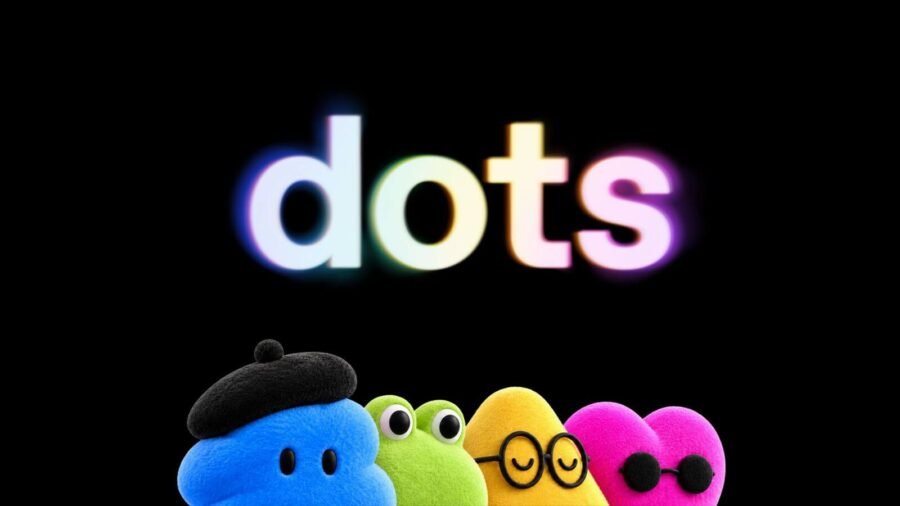
Story continues below.
Subscribe to see fewer ads.
OpenAI’s Dots is perceived as the AI startup’s response to the triumphant rollout of Meta’s Muse personal AI agent whose app has rapidly climbed Apple’s App Store and Google Play rankings in recent weeks, topping the free-app charts in the United States and Canada, with market intelligence firm Sensor Tower estimating about 2.8 million downloads in its first two weeks.
The personal AI agent market is getting increasingly crowded, with Instinct, SpaceXAI’s Grok Bot, and Microsoft’s Autopilot, to name a few. Some of these agents are designed to act as workplace teammates, others focus on personalised everyday tasks, while still more look to do a bit of everything.
There appears to be plenty of similarities between Dots and other agents on the market, especially Meta’s Muse. So much so that OpenAI CFO Sarah Friar accidentally referred to Dots as Muse in an interview. But beneath those similarities, Dots also has a few distinct features of its own that set it apart.
So, how does Dots work? What can you do with it? How does it handle data? What safeguards does it have built-in? And, perhaps most importantly, is it enough to help OpenAI secure its lead in the race to build the next-generation of personal AI agents?
Story continues below this ad
What are Dots? How do they work?
Dots operate in their own cloud computer that is separate from a user’s device unless they choose to connect it. According to OpenAI, the AI agent has its own browser and is capable of executing any kind of task given that it is connected to the relevant apps. It uses saved passwords to sign into various websites without exposing them to the AI model.
Users can communicate with one or many Dots through a regular chat window or call on the desktop, web, or mobile versions of ChatGPT. Users will also be able to chat with Dots on their Slack or Microsoft Teams apps shortly.
Once a project or task has been assigned, Dots start working on it right away. Users can also add new tasks and ideas in the same chat window or call without having to manage separate conversation threads.
Another unique feature of Dots is its memory retention. OpenAI said that Dots can carry over context across various channels, which means that users can start a project in ChatGPT and follow through on Slack.
Story continues below this ad
Notably, Dots never stop working. When it has not been assigned any task, the AI agent does ‘proactive research’ in the background by using connected apps. However, in this mode, Dots is restricted to read-only which means that it cannot send messages, change app content, or control the browser or computer on its own, as per OpenAI.
What makes Dots a personal AI agent?
By now, it should be clear that Dots, like other personal AI agents, works best when users give it broad access to their data, apps, and accounts. Doing so lets the AI agent know more about a user’s preferences, how they think, and what a job well done means to them.
But Dots also appears to take things up a notch. OpenAI has said that Dots presents its work “the way you would do it, sometimes before you even think to ask.” However, it also emphasises that users can step in at any time.
Other personalisation features include the ability to name your primary Dot and customise it to suit your preferences.
Story continues below this ad
Speaking of names, reports suggest that the ‘Dot’ name was previously explored by Cursor for its personal AI assistant before the AI coding firm was acquired by Elon Musk’s SpaceX. It was also supposed to be Grok Bot’s name and as a result, SpaceX still owns the ‘dot.com’ domain, leading to some confusion among users. That is hardly ideal for OpenAI given the long and acrimonious history between Sam Altman and Elon Musk.
Nevertheless, OpenAI envisions ChatGPT users working with a swarm of Dot AI agents in the future.
At launch, Dots is available today (September 29) for ChatGPT Pro and Business Premium subscribers in eligible markets. Enterprise users (including Edu and Healthcare) have access to the beta version. To set it up, users need to first create a Dot in their ChatGPT desktop or web app and connect required apps.
What is the enterprise case for Dots?
Dots is designed to take on a range of workplace-related tasks, from investigating bugs to turning designs into working apps.
Story continues below this ad
As part of its enterprise AI push, OpenAI announced specialist Dots designed for access management, IT-provisioned hardware, and support for deep integrations with a company’s systems of record. Companies can set up each dot with its own identity, credentials, and access to the systems it needs to complete its tasks.
OpenAI also said it is working with Microsoft to integrate specialist Dots, underpinned by Agent 365 enterprise governance and security controls, to let businesses connect AI agents with tools they already use.


What is Gemini 4 Argon, Google’s new AI model to hunt security bugs?
By Sohail Khan · 1 Oct
Apple’s biggest battleground for foldable phones is China
By Sohail Khan · 1 Oct
Leave a Reply