Apple Pay launched in India: Step-by-step guide on how to use on iPhone, iPad and Apple Watch
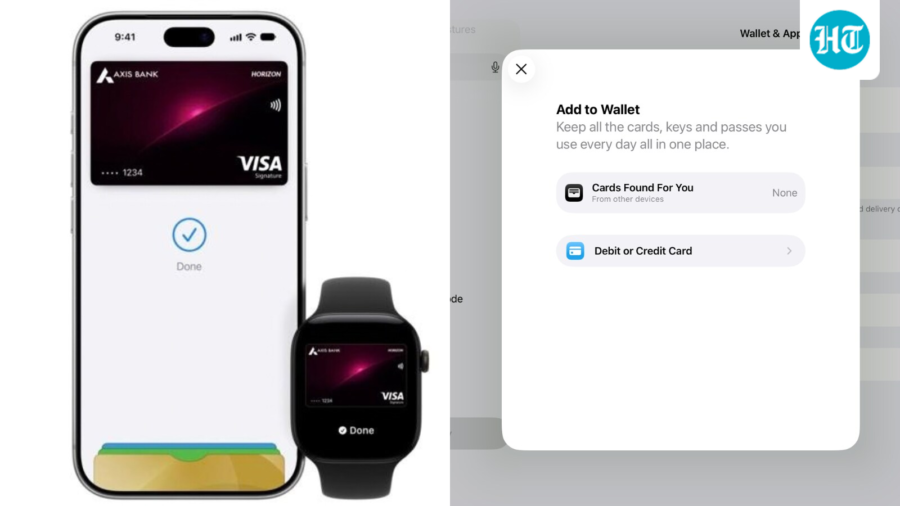
Apple Pay is now available in India, enabling effortless payments without PINs or OTPs at thousands of merchants.
Published on: Sep 30, 2026, 13:06:59 IST
Prefer HTon Google
Share via
Copy link
Apple on Tuesday launched its dedicated app for payments, Apple Pay, in India. The app is available on iPhone, iPad and Apple watch and is expected to launch on Mac soon.
According to Apple, the platform can be used across stores, apps, and websites at retailers without entering PINs or OTPs during checkout.
Customers with Axis Bank-issued Visa and Mastercard credit cards can add their cards to Apple Pay and make secure payments at thousands of merchants across India, both in stores and online, as well as anywhere NFC payments are accepted.
Set up Apply Pay on your iPhone
Step 1: Open the Wallet app and tap the Add Card button +.
Step 2: Choose Cards Found For You to add a card that you've used previously. Or click Debit or Credit Card to add a new card.
Step 3: Click Continue. Simply tap or hold your card near your iPhone to add it automatically.
Step 4: To add your card manually, select Enter Card Details Manually and follow the on-screen instructions.
Step 5: After completing the authentication steps, you are ready to use Apple Pay.
Set up Apply Pay on your Apple Watch
Step 1: Pair your Apple Watch with your iPhone and open the Apple Watch app.
Step 2: Under the My Watch tab, find Wallet & Apple Pay.
Step 3: Tap the Add Card option. Follow the aforementioned steps to add your card to Apply Pay.
Set up Apply Pay on your iPad
Step 1: Go to Settings on your iPad and choose Wallet & Apple Pay.
Step 2: Click on Add Card option and follow the steps mentioned previously to add your cards.
How to make payments using Apple Pay?
Users can follow these steps to pay using Apple Pay
Step 1: Double-click the side button or Home button.
Step 2: Authenticate with Face ID, Touch ID, or your device passcode if prompted.
Step 3: Hold your device near the contactless reader. On iPhone, hold the top of your iPhone near the reader.
Step 4: On Apple Watch, hold the display of your Apple Watch near the reader.
Step 5: Wait for the payment to be completed.
As per Apple, Apple Pay is now available across more than 90 countries and regions, supported by over 11,000 banks and network partners worldwide.
Track live Stock Market Today updates and check your NSE IPO Allotment Status Today. Stay informed with the latest business news like N Chandrasekaran, petrol and diesel prices, gold and silver rates, income tax updates, and major economic developments across India and globally.
See Less

India’s sunflower oil imports seen up 30%
By Sohail Khan · 30 Sep
4,500 Indian seafarers in Gulf under watch: MEA
By Sohail Khan · 30 Sep
Dubai-Abu Dhabi by train: Etihad Rail begins service
By Sohail Khan · 30 Sep
Leave a Reply