Optoma Photon Beam PK52 Review: A spectacular picture that makes you want one, and a price that makes you hesitate
Editorial independence is core to our work. Some links may earn us a commission, without influencing our opinions.
Optoma Photon Beam PK52 Review: A spectacular picture that makes you want one, and a price that makes you hesitate
Optoma delivers a compelling big-screen experience with the Photon Beam PK52, but its limited colour range, weak audio and high price dilute the appeal.
Updated on: Aug 26, 2026, 11:03:57 IST
Prefer HTon Google
Share via
Copy link

Research-Backed Choices
Every product we recommend is chosen through a combination of Primary Research and Secondary Research.
Make your next Purchase
at ₹2,500/month
Check Eligibility →
Optoma Photon Beam PK52 Review: Television has long been a staple in Indian households, meeting all entertainment needs, including mine. As both a novelty seeker and a gadget enthusiast at heart, I am always in search of a new medium beyond a TV to catch up on my favourite shows. Needless to say, I was beyond elated when Optoma approached me to review its Photon Beam PK52 projector.
Given that projectors have fascinated me since childhood, I ditched my TV and watched all my shows and movies on the Photon Beam PK52 for a month. Remarkably, Optoma’s projector hooked me from the first projected frame. As my time with the Photon PK52 stretched from a day to a week and eventually to half a month, the strong first impression held, but I began to notice a few quirks in the projector that didn’t seem alarming at first.
It all changed when I delved into the Photon Beam PK52’s spec sheet and compared it with its rivals at similar price points. I was now more conflicted than I had been impressed by Optoma’s projector. But what flipped my reaction? Would I still recommend buying the Photon PK52? Read the review to find out:
Optoma Photon Beam PK52 Design and Build Quality: Simple looks, thoughtful touches
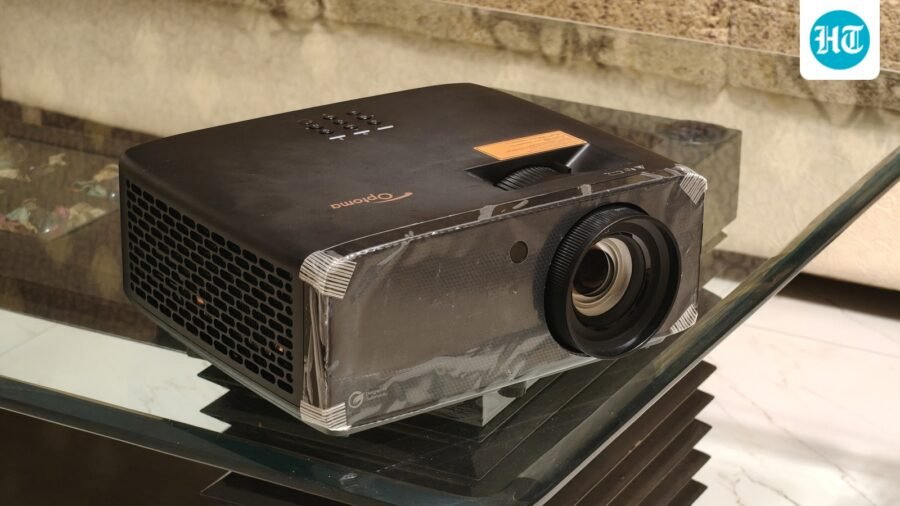
The Photon Beam PK52 is as basic as a dedicated projector can be, with an understated design that helps it blend into any ambience. It houses all the components in a normal-looking, rectangular chassis covered in matte black, which only shows fingerprints when the light hits it. Aside from this, the top section features the brand logo, and the rear portion displays symbols associated with ports and supported picture quality. And that’s about it.
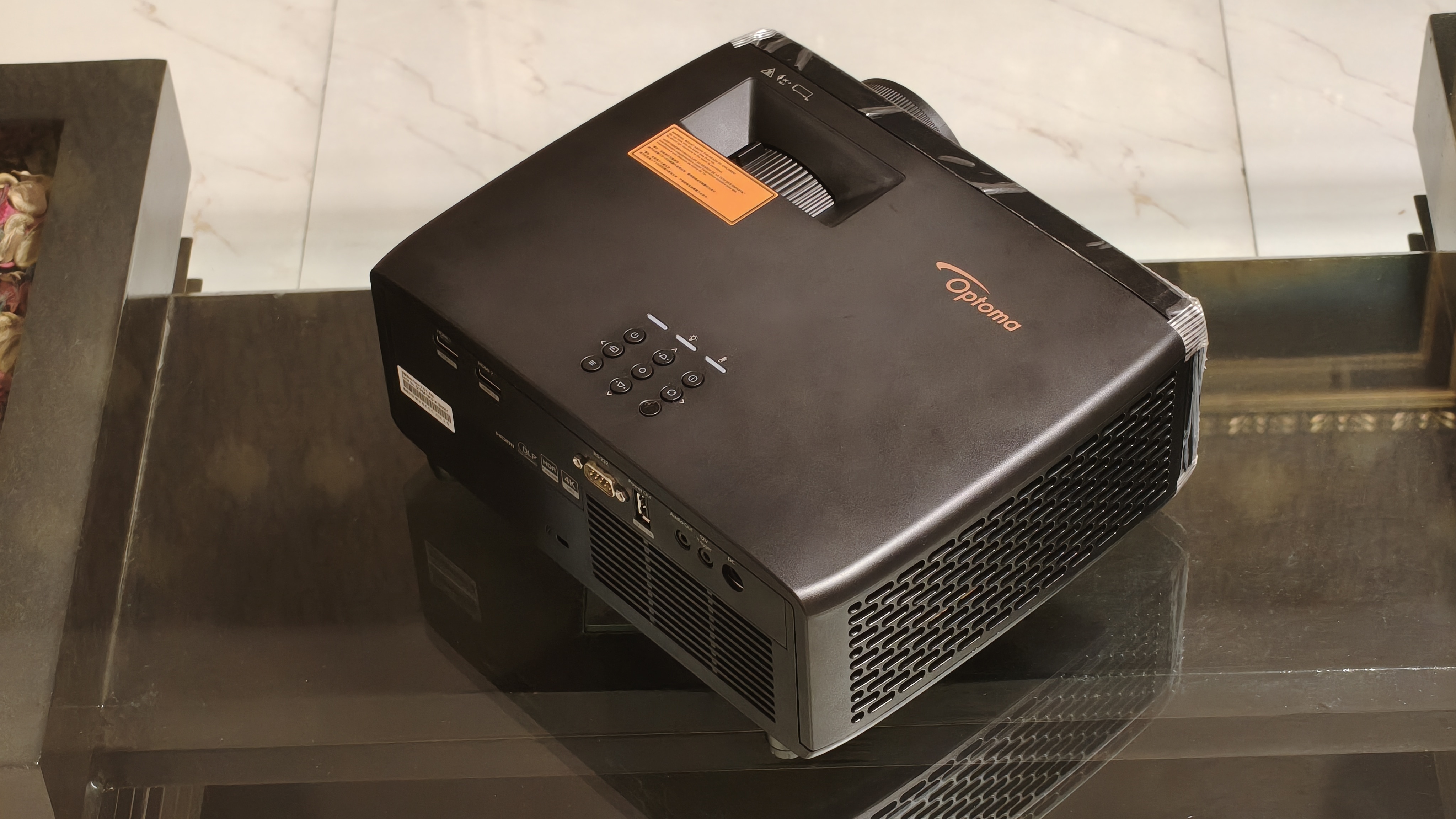
Nonetheless, Optoma has added thoughtful touches to the projector’s body. The top portion includes a manual zoom lever, indicating that the Photon Beam PK52 doesn’t support automatic magnification adjustment. However, adjusting the magnification of the projected screen by pulling or dragging the lever feels oddly satisfying. The top section also features a quick-settings keypad that comes in handy when you need to adjust the display settings. Among these buttons is an IR receiver that helps users control the projector with the bundled remote, even when the projector is mounted upside down on the roof.
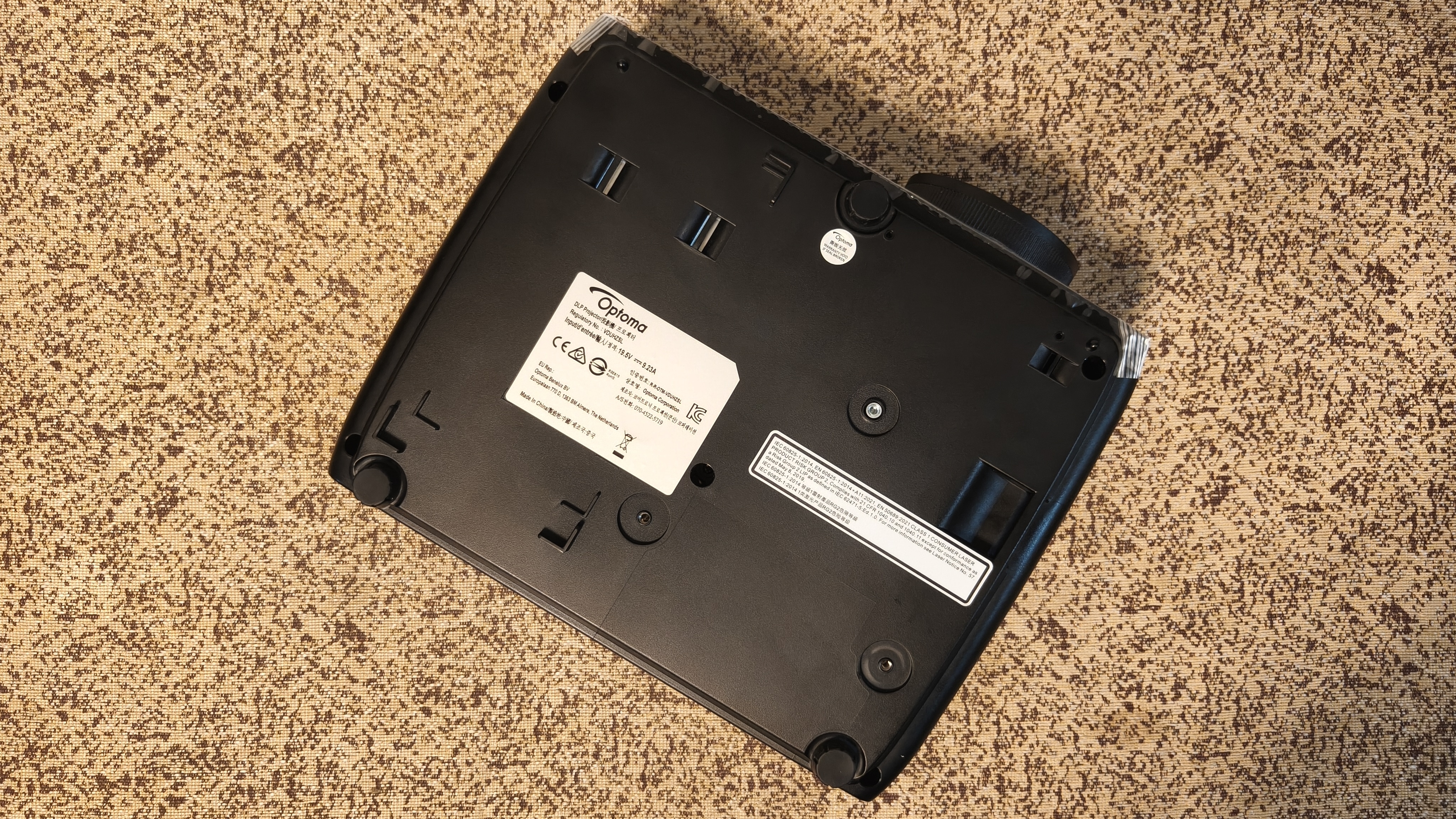
Speaking of upside down, the bottom section is occupied by three slots and mounting points for mounting the Photon Beam PK52 on the ceiling, as well as by feet. While these feet might seem ordinary, don’t be mistaken by their look. They are large screws with a rubberised top, so you can unscrew them to raise the projector’s height above the flat surface as per your preference.
While the vents take up the left and right portions, the front and rear sections are where the magic lies. The front section houses the lens, which is equipped with a focus ring, indicating that the Photon Beam PK52 also lacks autofocus.
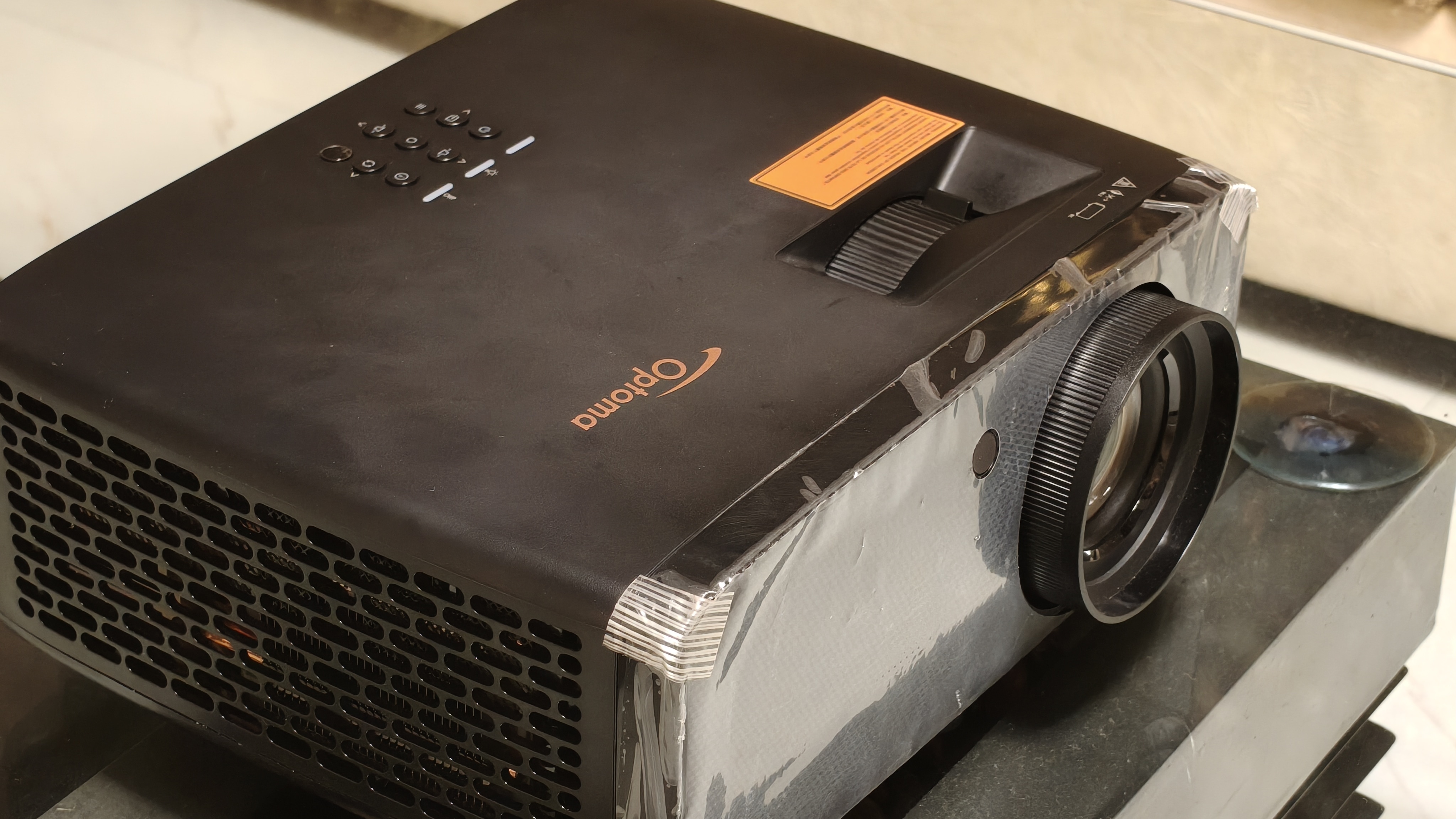
The lack of autofocus is disappointing, given that some websites list Optoma’s projector at ₹2,15,572, whereas a much cheaper Lumio Arc 5 has one. That said, I can’t deny how satisfying it is to fiddle with the focus ring. In addition to the lens, the front section includes an IR receiver.
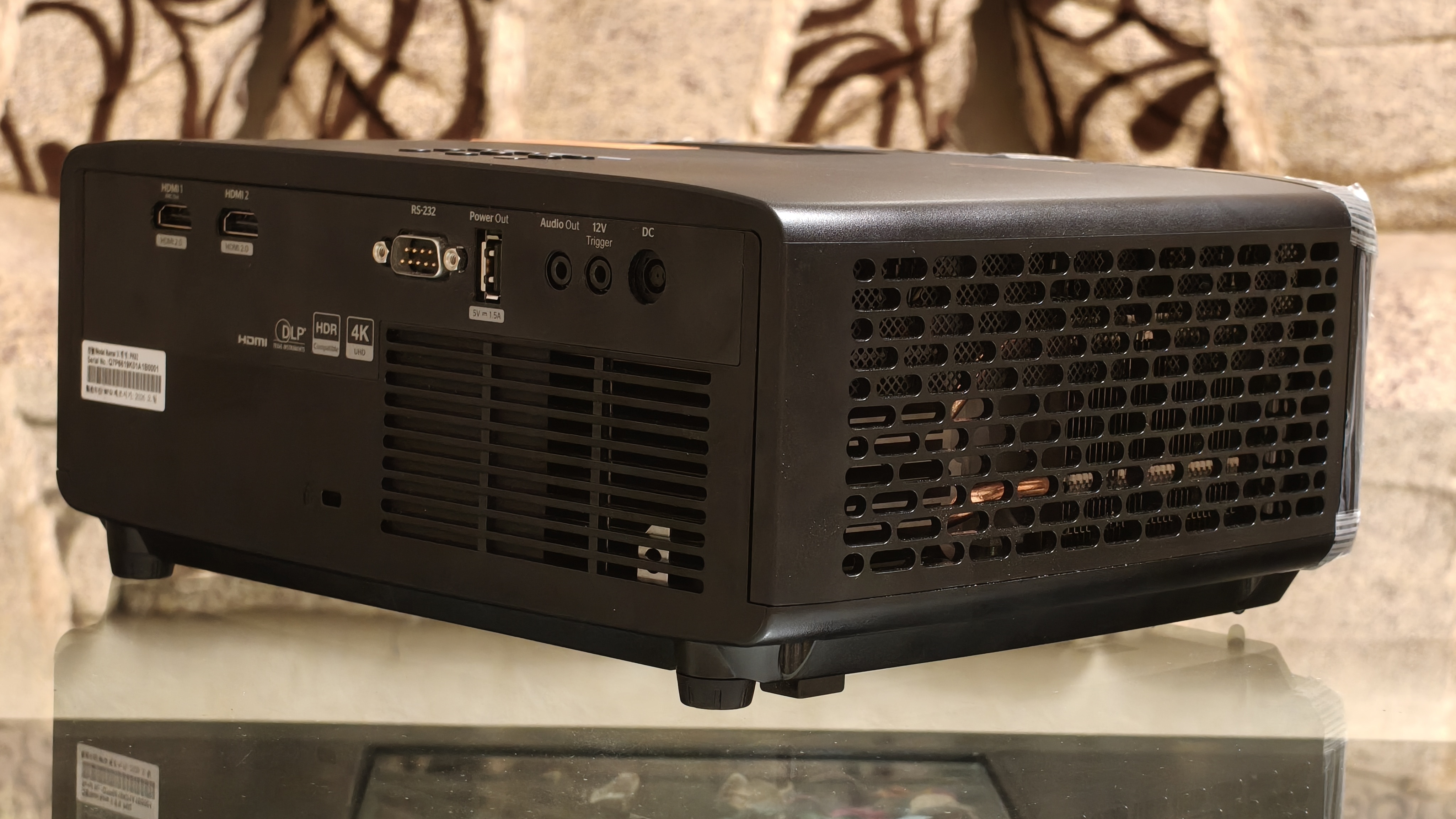
The rear section is the one among all the spaces that is packed to the brim with stuff. For starters, it houses all the ports that are listed below:
- 2x HDMI 2.0, one of which supports ARC out
- 1x RS-232
- 1x USB-A power 1.5A
- 1x 3.5mm Audio-out jack
- 1x 12V trigger
- 1x DC jack
Apart from the stacked port collection, the rear section includes an inlet vent and a Kensington lock, a blessing for those who want to physically secure the projector to a fixed object.
The Photon Beam PK52 weighs 3.4 kg, so an average Joe can move it around without feeling exhausted. In terms of durability, Optoma’s projector has a plastic build, but it feels sturdy to hold. It doesn’t creak when pressure is applied on parts of its chassis.
Optoma Photon Beam PK52 Software: Clean and focused, but far from effortless
Before turning on the Photon Beam PK52 for the first time, I expected to be greeted by the Android TV home screen. Instead, all I saw was a completely black screen with the source banner in the top left corner.
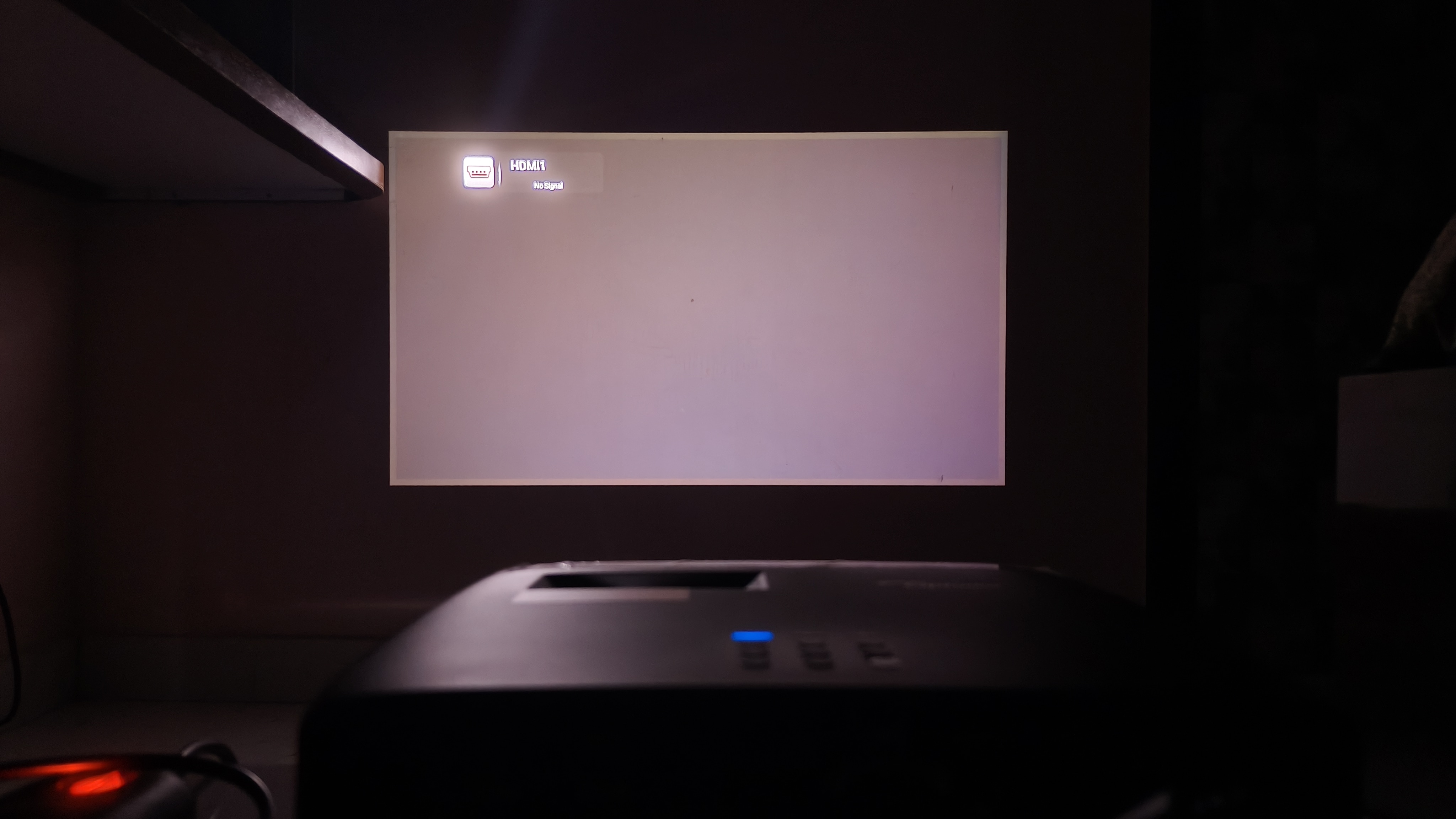
Putting two and two together, I realised that Optoma prioritised building a dedicated projector over a smart, integrated model like the Lumio Arc 5. The only software component on the Photon Beam PK52 is the settings page, but it offers plenty of options to control the viewing experience and the projector’s behaviour.
While the Photon Beam PK52 features all the classic display-quality options, such as Dynamic Range, CMS, and Picture mode, I want to discuss three useful settings that stood out during my brief exploration.
The first option on the list is the projection orientation, which allows users to flip the projected image upside down when mounted on the ceiling or to select the orientation that is perfect for a comfortable viewing experience.
The Photon Beam PK52 includes the High Altitude feature, which rapidly raises its internal temperature; it continues to function normally in low-temperature conditions, such as at a mountain base. By the way, Optoma says its projector can operate at temperatures ranging from 0°C to 40°C, at up to 80% humidity, and at an altitude of 10,000 feet.
The third option that caught my attention was the projector test pattern, which displays circles and grids to help us check whether the projected image is properly aligned. This is something most Photon Beam PK52 users will need, even though they shouldn’t have to. I say this because Optoma’s projector struggles to align the projected image, depending on its position relative to the screen.
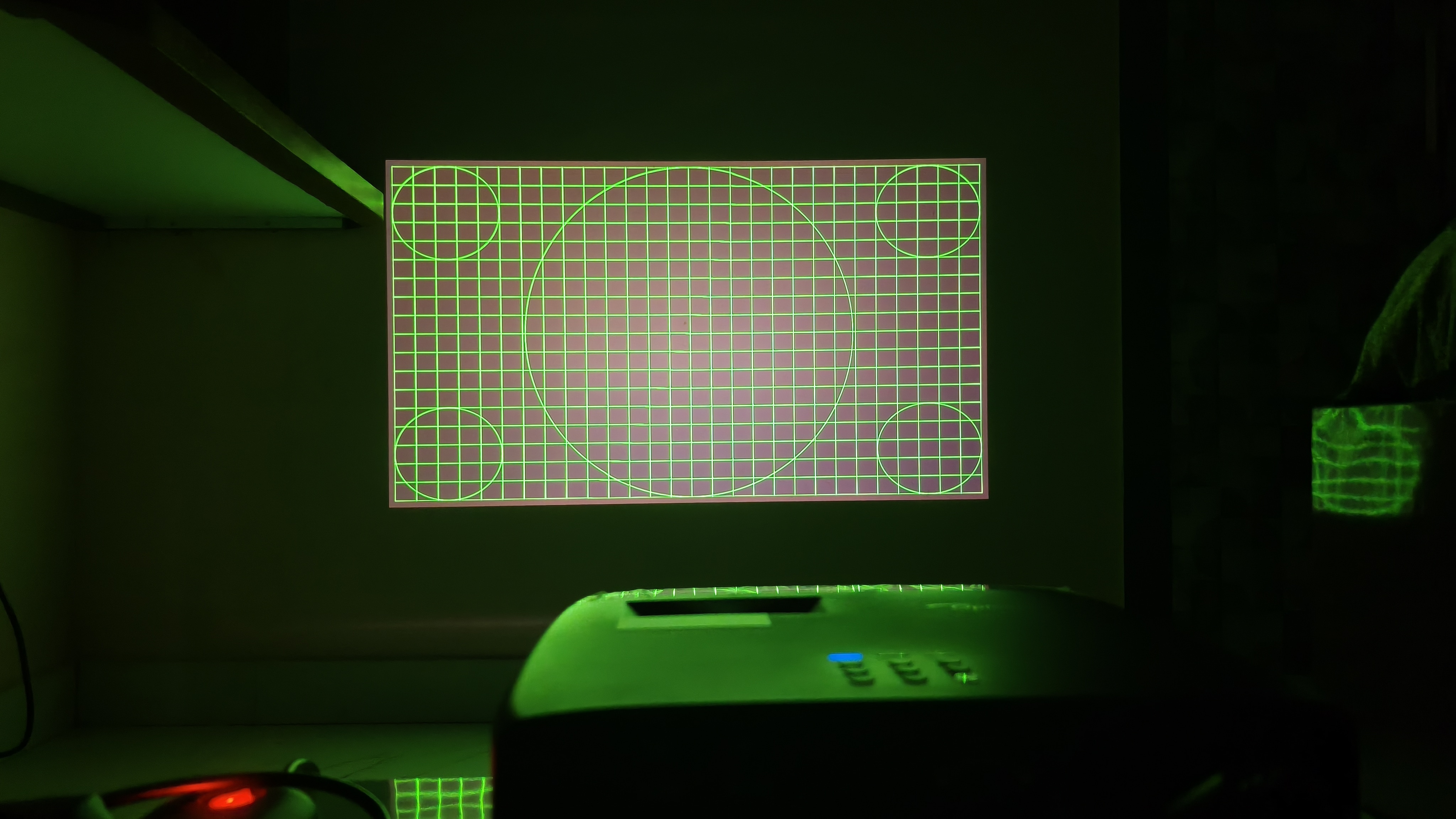
Although the brand has incorporated automatic keystone correction in its device, the projected image consistently appeared with misaligned proportions in my use. Throughout the month, I became accustomed to manually correcting the projection alignment after turning on the Photon Beam PK52. That said, the projector had always set the correct aspect ratio based on the screen’s magnification.
Optoma Photon Beam PK52 Display Quality: Big-screen brilliance with a few blind spots
The display quality is what makes or breaks a projector, and here the Photon Beam PK52 mostly checked the necessary boxes.
First off, with a throw ratio of 1.21-1.59, the Photon Beam PK52 is a standard-throw projector. This means Optoma’s projector needs to be positioned roughly 105 inches from the screen to display a 100-inch image. With the space I arranged at home, I was only able to achieve an approximately 55-inch projection with the Photon Beam PK52.
But that was one of the brightest 55-inch images I have ever seen. Given that I always used the Photon Beam PK52 in a dark room, I often fooled myself into thinking I was watching my favourite anime series on an ordinary TV. That said, whenever someone switched on a 5W bulb in my room, the projected image would become slightly hazier, reminding me that, yes, I was using a projector.
And that brings me to the Photon Beam PK52’s quoted brightness. On its specifications, Optoma states that its projector can deliver a projected image of 3500 lumens. The catch is that the brand uses LED lumens to define its projector brightness rather than the standard ANSI lumens rating commonly used to measure it.
It’s also worth noting that LED lumens and ANSI lumens aren’t directly comparable. Still, they are believed to be in a ratio of approximately 2.4:1. By this logic, the Photon Beam PK52’s brightness turns out to be roughly 1458 ANSI lumens. This figure doesn’t make Optoma’s projector inferior, but it does put its brightness into perspective. In a room with moderate ambient light, or the one I mentioned above, a projector with 2,000-3,000 ANSI lumens is ideal. As a result, the Photon Beam PK52 is only best suited to a dark room.
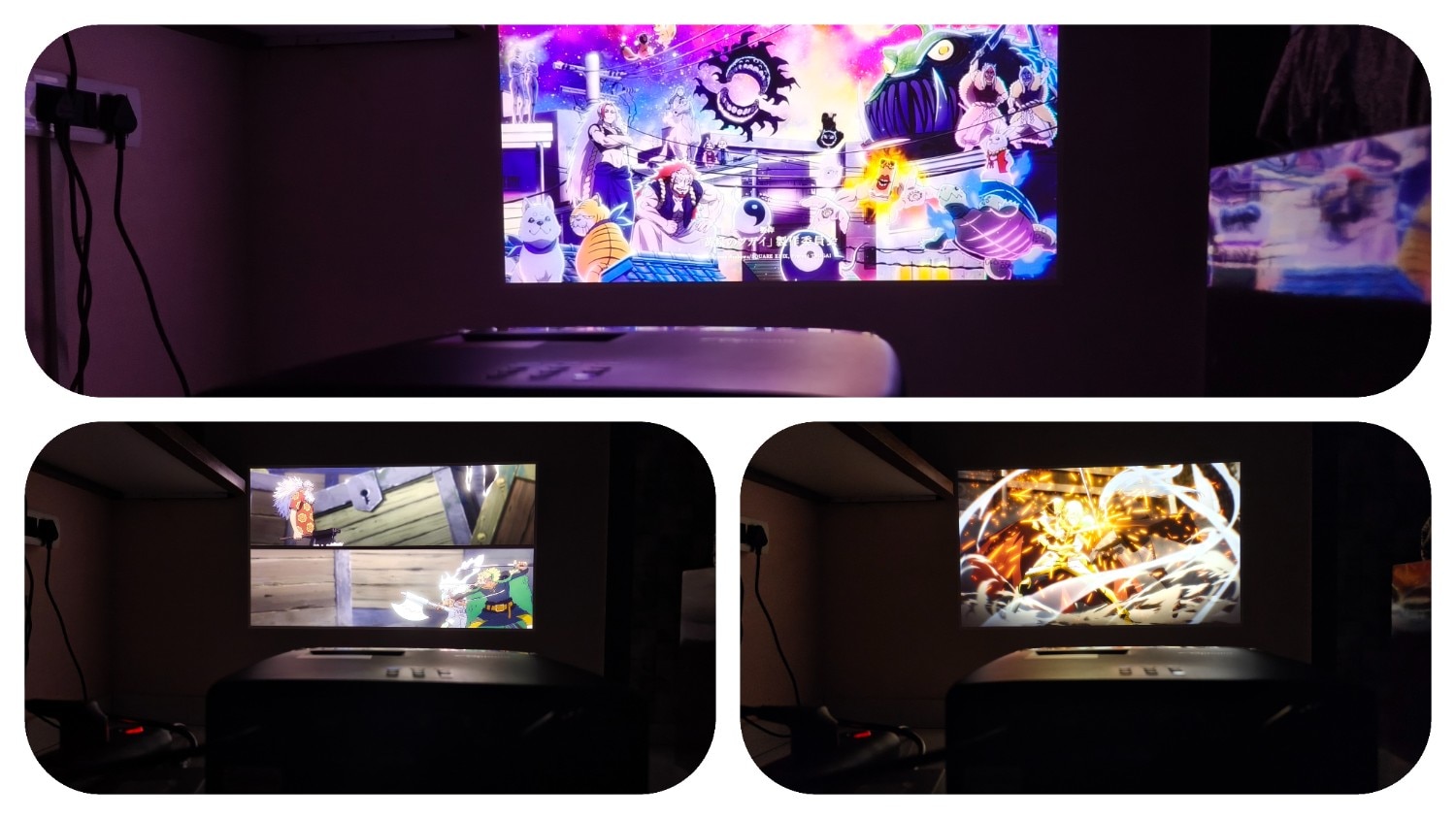
While the Photon Beam PK52’s brightness can be defended, I don’t think the same can be said for its colour reproduction. To be clear, I had a great time watching anime series, including One Piece, Tensura, and Daemon of the Shadow Realms, on Optoma’s projector. Given these series’ vivid palettes, the Photon Beam PK52 often portrayed their colourful scenes beautifully without messing up the saturation. The issue is that its limited colour space, i.e., Rec.709, undermines accurate colour reproduction.
Optoma’s projector frequently struggles to display a wider range of blue and green. For instance, it turns teal into a paler green. This spoils a defining trait of a character or landmark. So, if the colour palette of a scene falls within the standard spectrum for SDR content, i.e., Rec.709, the Photon Beam PK52 will impress you with its control over vibrancy. But a slight departure from its colour gamut is all it takes to pull you out of the scene.
Although the colour output is a mixed bag, the Photon Beam PK52 redeems itself with its contrast. It often did justice to scenes in which nearly the entire frame was black, with only a few well-exposed parts, bringing out details even in the shadows. To add to this, those bright parts never had a weird halo effect surrounding them.
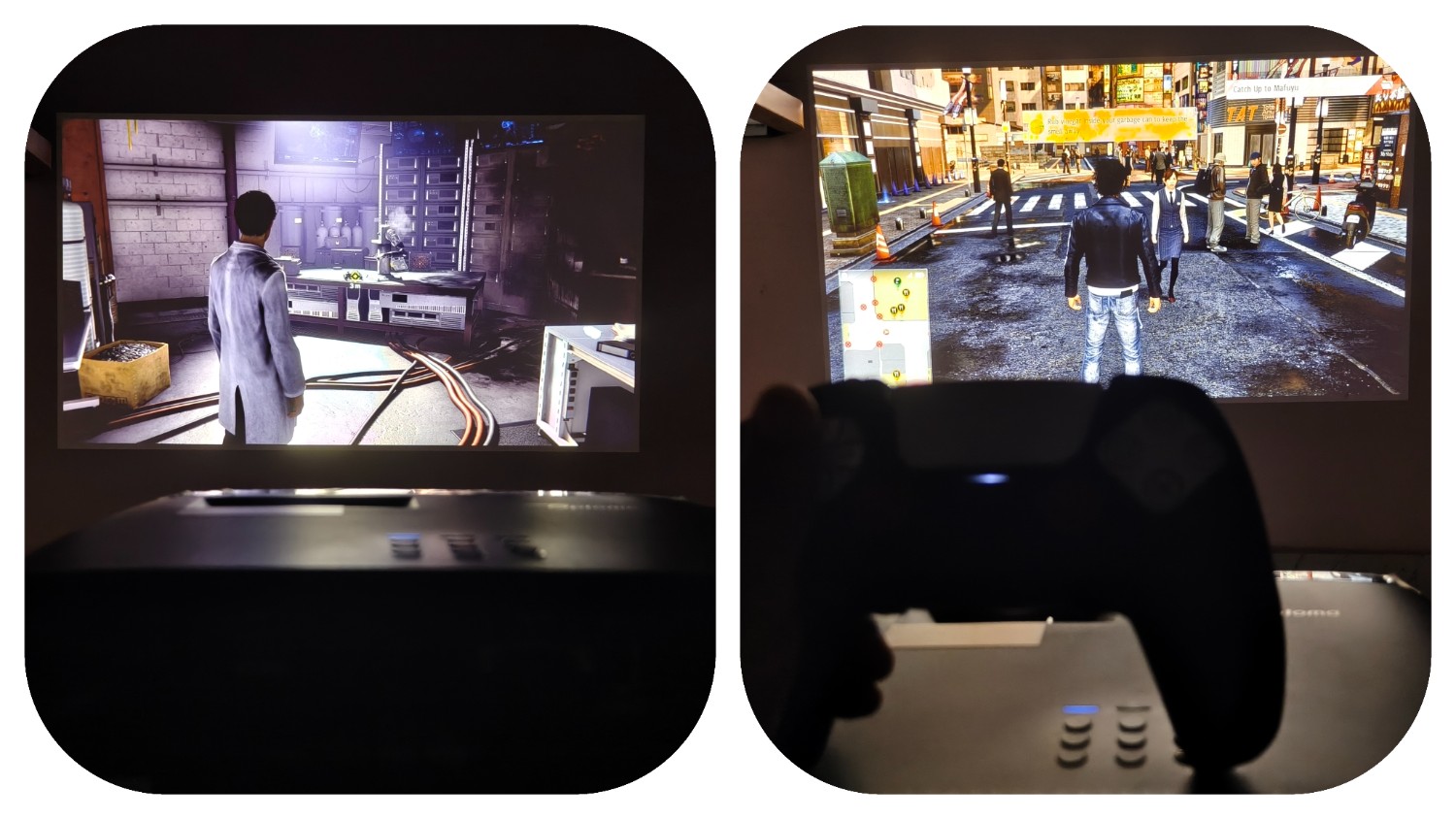
This trait became clearer when I played games on my PS5 connected to the Photon Beam PK52. When playing Judgement and Spider-Man, I often noticed that I could effortlessly spot enemies and solve mysteries, even in dimly lit areas, something I struggled with on the Lumio Arc 5. Moreover, this projector supports HDR, so its ability to reveal details in shadows improves further with HDR content. All these are made possible by the Photon Beam PK52's underlying DLP projection technology.
For those unfamiliar, projectors with DLP technology direct the light from their lamp to a DLP chip, a reflective surface comprising thousands of aluminium mirrors or more, rather than passing it through the screen as an LCD projector does. This chip then tilts back and forth up to 5,000 times per second, guiding the reflected light either through the lens opening to display a pixel or away from the lens to turn it off.
Since most home projectors, including the Photon Beam PK52, feature only one such chip, they rely on a colour wheel to filter the light into red, green, and blue. This colour wheel is often believed to cause the rainbow effect, in which some people see brief rainbow flashes when they look away from the projected image. Although this effect has become synonymous with DLP projectors, I have fortunately never encountered it when using the Photon Beam PK52.
Having said that, I did notice another known quirk of DLP technology when using Optoma’s projector: dithering artefacts. To put it simply, the Photon Beam PK52 sometimes introduces noise in the darker parts of the projected image. This happens because the tiny mirrors inside a DLP chip can only be switched on or off, so they rapidly flicker between the two states to create different shades of grey. This rapid switching becomes evident when dark visuals occupy a substantial part of the image. Though it’s worth mentioning that this isn’t a significant dealbreaker, as it rarely appears and is an inherent issue with DLP projectors.
But to get the most out of that visual experience, the right connectivity matters too, which brings us to HDMI. The Photon Beam PK52 includes two HDMI 2.0 ports, one of which supports eARC. This HDMI version allows us to stream 4K HDR video from a connected source. However, it only supports a 60 fps refresh rate when streaming 4K content from a connected device.
Optoma Photon Beam PK52 Audio: You will probably want a soundbar
Compared to the projection quality, the built-in speaker on the Photon Beam PK52 is serviceable at best. The brand quotes that its speaker has a 15W output, but I highly doubt it. In normal ambient noise, with a faint TV sound from another room, listening to the sfx of a scene on the Photon Beam PK52 at full volume felt like watching a movie on a smartphone at full volume. It struggled to deliver the loudness one would expect from a projector.
While Optoma’s projector handles parts of a movie in the mids, particularly vocals, well, it struggles to produce clearer audio in the high frequencies. What’s concerning about the Photon Beam PK52 is that it lacks depth in the lower frequencies, struggling to deliver the impact the scene's SFX, including explosions, demand. Considering this, investing in a separate audio setup becomes a necessity for a complete home theatre experience.
Remote: Simple, practical and better than expected:
The Photon Beam PK52 is primarily controlled via a bundled remote, which is one of the projector's best features. Since Optoma’s projector doesn’t run Android TV, the remote only includes volume rockers and quick shortcuts to essential settings options. Its buttons are on the mushier side, but a simple press is all they need.

What makes it special is that its buttons light up whenever a certain key is pressed, making it convenient to use even in a completely dark room. The remote’s plastic build makes it feel lightweight in the hand. The only caveat is that it gives the impression of a cheap product that doesn’t complement the otherwise well-built, premium projector.
Optoma Photon Beam PK52 Price: The asking price changes the whole equation
This is the aspect of the Photon Beam PK52 that sets off alarm bells. Optoma has listed this projector on Amazon for ₹2,15,572. At this price point, all the above quirks of this projector that I have highlighted so far become too hard to overlook or justify. Similarly priced or even cheaper offerings from other brands offer better value compared to the Photon Beam PK52.
For instance, the BenQ GP520, priced at ₹1,24,990, runs Android TV and supports 4K at 120 fps via its HDMI 2.1 port. Moreover, the brand says it features autofocus, obstacle avoidance, automatic 2D keystone correction and rotation, and other essential features for a seamless setup experience. That’s not it; BenQ quotes 2500 ANSI lumens for its projector, meaning it is well-suited to rooms with moderate ambient light. What matters to me is that the GP520 projector is claimed to support an 81% DCI-P3 colour gamut, enabling it to accurately display more colours than the Photon Beam PK52.
Although it isn’t wise to form an opinion based on the spec sheet, these figures do influence the real-world experience.
The Photon Beam PK52 can deliver an impressive viewing experience, but its high asking price makes it difficult to recommend when cheaper rivals offer more on paper.
Verdict:
The Optoma Photon Beam PK52 delivers an impressive big-screen experience, particularly in a dark room. Its bright, high-contrast image makes movies, anime and games enjoyable, while HDR support helps preserve detail in darker scenes. However, the projector also demands compromises. Colour accuracy can suffer outside the Rec.709 range, image alignment often needs manual correction, and the built-in speaker is too weak for a proper home theatre setup. At ₹2,15,572, these shortcomings are harder to overlook, especially when cheaper rivals offer smart features, easier setup and broader colour coverage.
1. Optoma UHZ36 4K UHD Laser HDR Home Theater Projector – Black
Loading Suggestions…
Specifications
Brightness
3500 lumens (roughly 1458 ANSI lumens)
Projection Technology
DLP
Contrast Ratio
1,000,000:1
Resolution
4K UHD (3840×2160)
Colour Gamut
Rec.709
Zoom
Up to 1.3x
Native Aspect Ratio
16:9
Screen Size
28“ – 300“
Throw Ratio
1.21 – 1.59
Connectivity
2x HDMI 2.0 (one supports eARC), 1x USB-A power 1.5A, and 1 x Audio out 3.5mm
Speaker
1x 15W
Weight
3.4 kg
Reasons to buy

Excellent contrast reveals fine details in dark scenes without excessive haloing.
Bright, vibrant images make anime, movies, and HDR content enjoyable in dark rooms.
Backlit remote makes controlling the projector convenient in completely dark rooms.
Reason to avoid

Limited colour gamut affects some blue and green shades
Manual image alignment is often required
Weak built-in speaker lacks bass and volume for movies
Loading Suggestions…
Loading Suggestions…
Loading Suggestions…
Loading Suggestions…
Also Read:
POCO M8 Power Review: The screen is the reason to buy; the rest is the reason to pause
Motorola Razr Fold review: Proves that first attempts do not have to feel unfinished
Motorola Edge 70 Pro Plus Review: It checks nearly every box, but not without imperfections
See Less

What is a kill switch, and why is it hard to build one for AI systems?
By Sohail Khan · 20 Sep
A smartwatch should fit your routine, not interrupt it. These five models go the extra mile
By Sohail Khan · 20 Sep
Nike Alphafly 4: 5 things (including the science) behind new marathon shoes
By Sohail Khan · 20 Sep